Easy CI with Laravel & GitHub Actions: deploy with confidence
A great way to improve the quality of your sleep at night as a dev is to setup a continuous integration (CI) pipeline for your projects.
Story time! You've been working on a project for a while, and you've noticed that as the client's demands evolve, things are getting a little complicated in your code. You have to add a new feature that can reuse a piece of code from another, but that needs a few changes so it can fit the new feature well.
You do the changes to the old code, create the new feature, and everything seems great! But it's Friday evening and you're getting late to meet your friends at the restaurant. You're sure the new feature works, so you deploy the changes and rush out the door.

Next thing you know, it's Saturday morning and you're woken up by an angry phone call from your client. They claim everything's broken and they're losing money because orders are not coming through. After investigating, it becomes clear that when you modified some of the old code, you actually broke something else while adding that new feature. Even though you have some automated tests that could have warned you about this, you forgot to run them because you were late.
The doubt creeps in
After going through this scenario a few times, you'll start thinking it's not a good idea to deploy on a Friday. That's a good rule but read on. It'll happen on a normal weekday too and eventually you may end up having trouble falling asleep at night after deploying. What if you forgot to check something?
After enough whoopsies, you may even start to doubt you're fit for the job. Impostor syndrome is real and this stuff can trigger it pretty hard.
The reality is that it's normal to make mistakes that break stuff, and you're not supposed to be some kind of mastermind that can think of every part of the codebase all the time. Nobody can do that.
So, work smarter not harder, right? We can fix this with just a bit of organisation, a few lines of YAML code, and a chocolate bar.
The master plan
Our deployed code lives on the main branch. When we're working, we do not touch the main branch directly, instead we work on other branches and merge those into main using pull requests.
We will configure GitHub Actions so that every time we open a pull request, our automated tests run, and we are warned automatically if something broke, before we merge the code.
Let's unpack all that, yeah? Get your snacks and hold on to your pantyhose.
Branches
If you've never used branches, it's pretty simple: think of your code as the main trunk of a tree, and every time you want to make changes to it, you create a branch. That branch diverges from the main trunk with every commit you make, and then at the end, just like real trees, you merge that branch back into the main trunk.
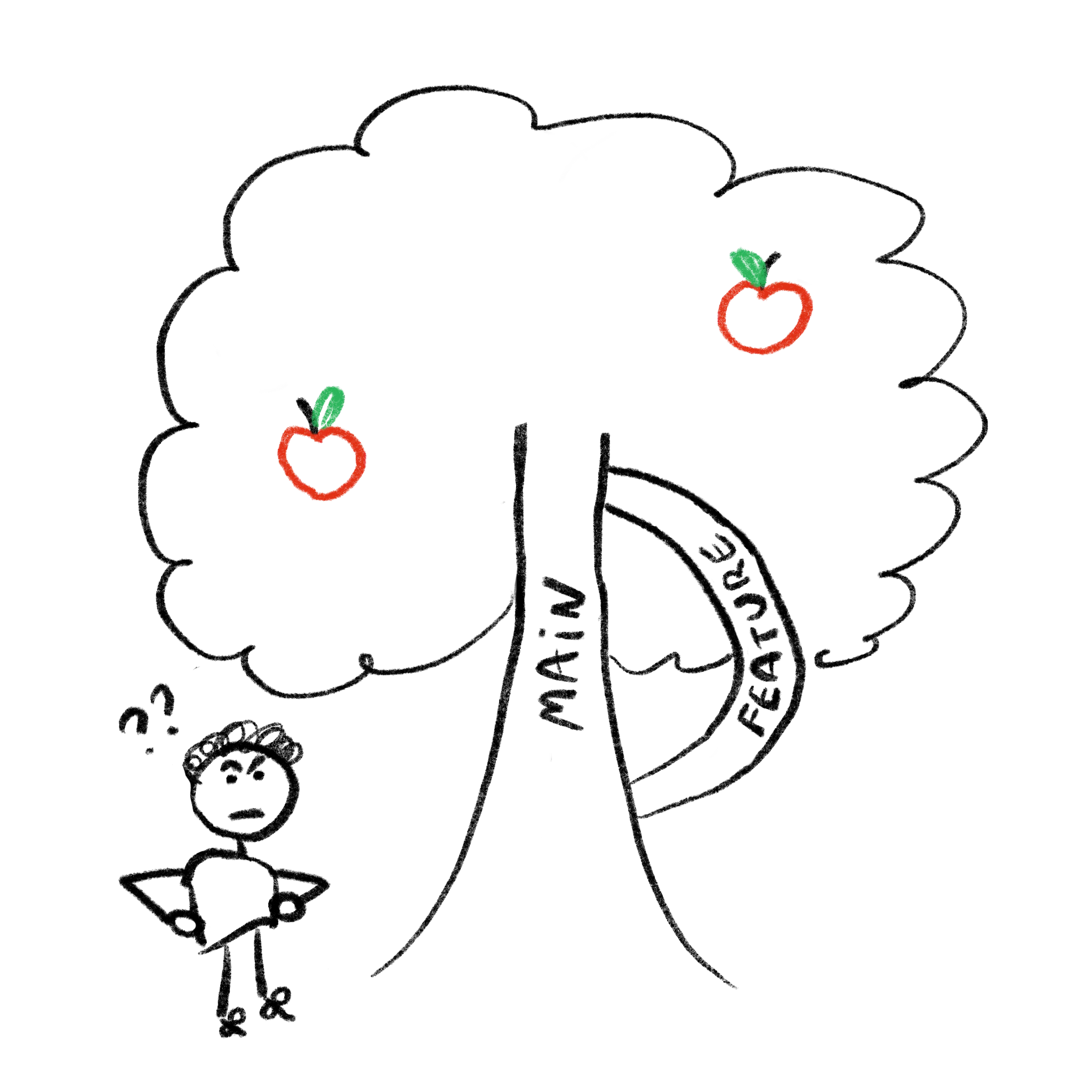
Okay maybe it's a weird analogy, but I think you get it.
In practice, every branch is a copy of the main trunk and can evolve independently, until we want to integrate these changes back into main, say, when the feature is ready.
There are many benefits to working this way, but the real savior for us here is the fact that when we open a pull request (to merge our branch into main), we can ask GitHub to execute some tasks of our choosing.
That's right robots, you still work for us. Not the other way around just yet.
GitHub Actions
This topic goes pretty deep, we can automate any number of different things using GitHub Actions. To put it into just a few words, it's an event listener for our GitHub repositories. We can have "workflows" in place that react in different ways when code is pushed or when a pull request is opened.
I think it's easier to understand if I just show you what that looks like in practice.
These workflows are described by files that we include alongside our code, inside our repo. At the root of our project, let's create a .github folder, and in there, another folder called workflows. Then, we add one .yml file per workflow we want to create.
# .github/workflows/hello_world.yml

name: My first GitHub Action

# The events we want to respond to
on:
  push:
    branches:
    	- main

jobs:
  say-hello-world:

    # We can choose which OS our workflow runs on
    runs-on: ubuntu-latest

    # Here we describe all the things we want to do
    steps:
    - uses: actions/checkout@v4

    - name: Show the files
      run: ls -la

    - name: Say hello
      run: echo "Hello world"
In case that wasn't self-explanatory, when we add this file to our repo, the "My first GitHub Action" workflow will run every time we push on the main branch. The following then happens:
- A "virtual machine" that runs the latest version of Ubuntu is made available to us by GitHub
- We clone our repository somewhere on there
- We run
ls -lato print out the list of files that were just cloned - We run
echo "Hello world"to feel like we've learned something
After adding this file and pushing the code to our repo, we can go ahead and navigate to the "Actions" tab on GitHub. There we'll be able to see a history of all the "workflow runs" that have happened.
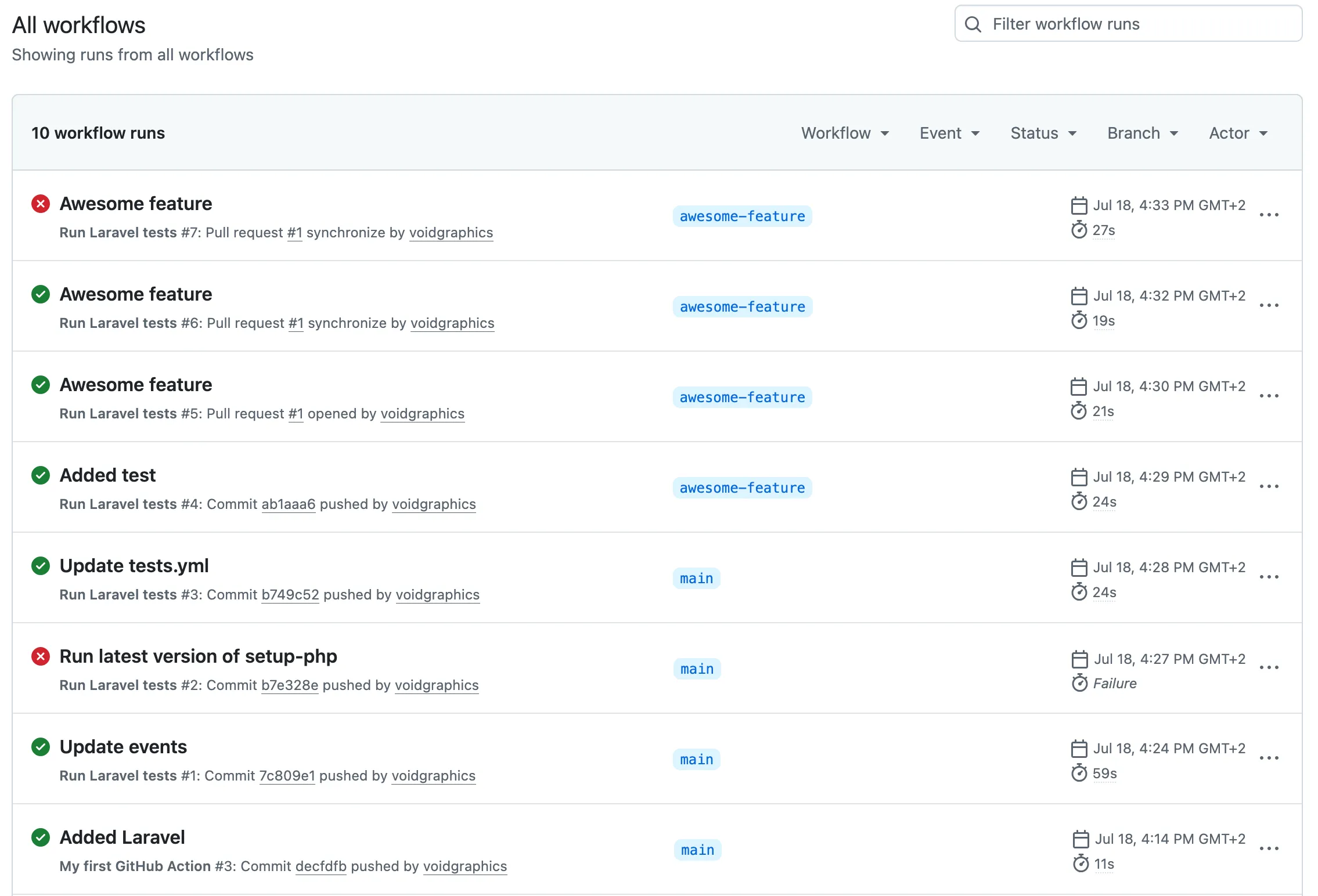
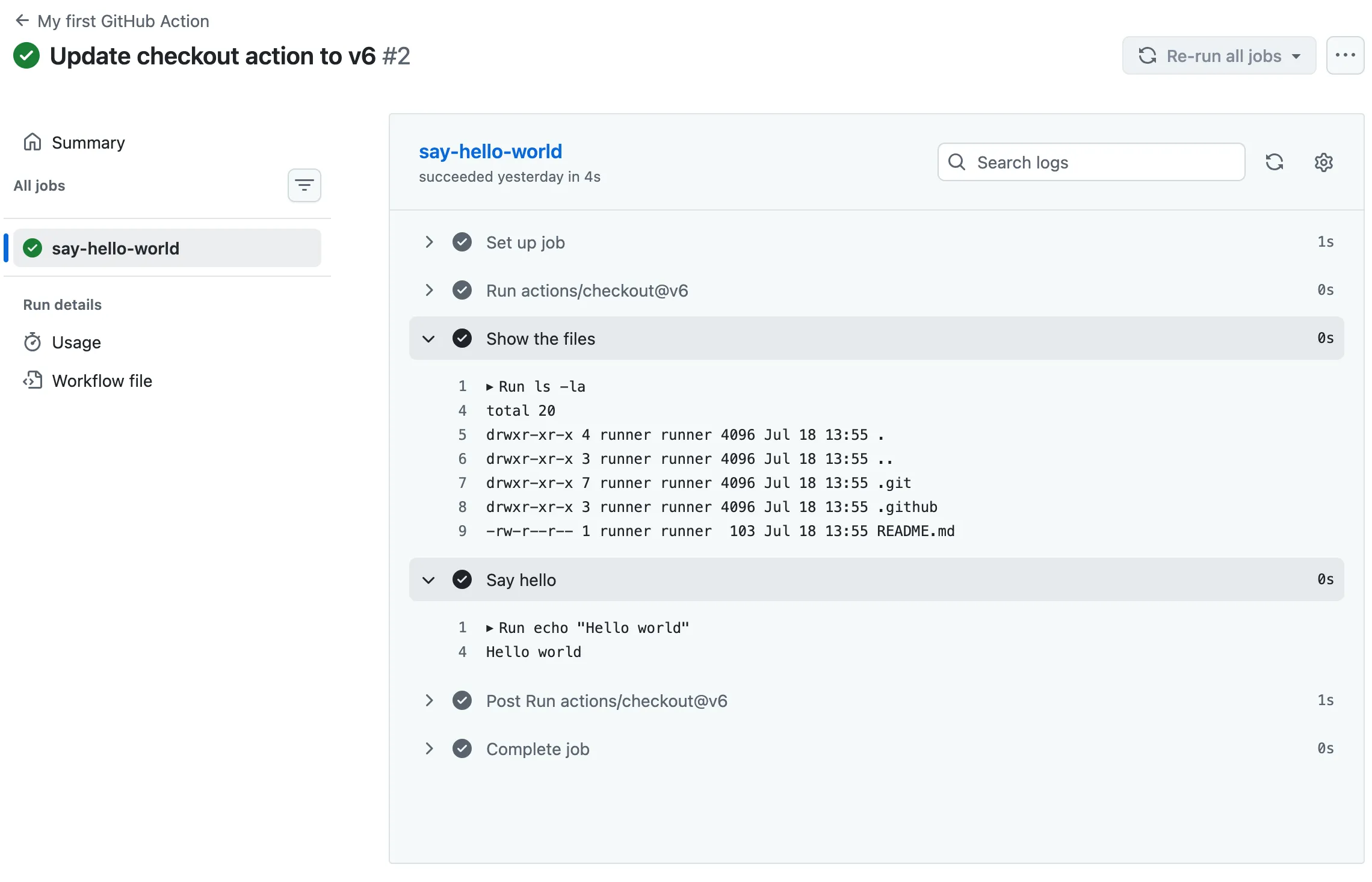
If we click on a workflow run, we can see exactly what happened and when.
Let's move on to something a little bit more useful. Here's a basic workflow to run our Laravel tests:
# .github/workflows/tests.yml

name: Run Laravel tests

on:
  pull_request:
    branches: [ $default-branch ]

jobs:
  laravel-tests:

    runs-on: ubuntu-latest

    steps:
    - uses: shivammathur/setup-php@v2
      with:
        php-version: '8.5'
    - uses: actions/checkout@v6
    - name: Copy .env
      run: php -r "file_exists('.env') || copy('.env.example', '.env');"
    - name: Install Dependencies
      run: composer install -q --no-ansi --no-interaction --no-scripts --no-progress --prefer-dist
    - name: Generate key
      run: php artisan key:generate
    - name: Directory Permissions
      run: chmod -R 777 storage bootstrap/cache
    - name: Create Database
      run: |
        mkdir -p database
        touch database/database.sqlite
    - name: Execute tests (Unit and Feature tests) via PHPUnit/Pest
      env:
        DB_CONNECTION: sqlite
        DB_DATABASE: database/database.sqlite
      run: php artisan test
This is slightly more involved but I'm sure you understand by now, and you recognize a lot of these commands from just working on your Laravel projects. We're instructing that we want to clone and setup our Laravel project (just as we would on a local machine), add a SQLite database, and run our test suite.
This will happen whenever we open a pull request to merge changes into our main branch (the default branch).
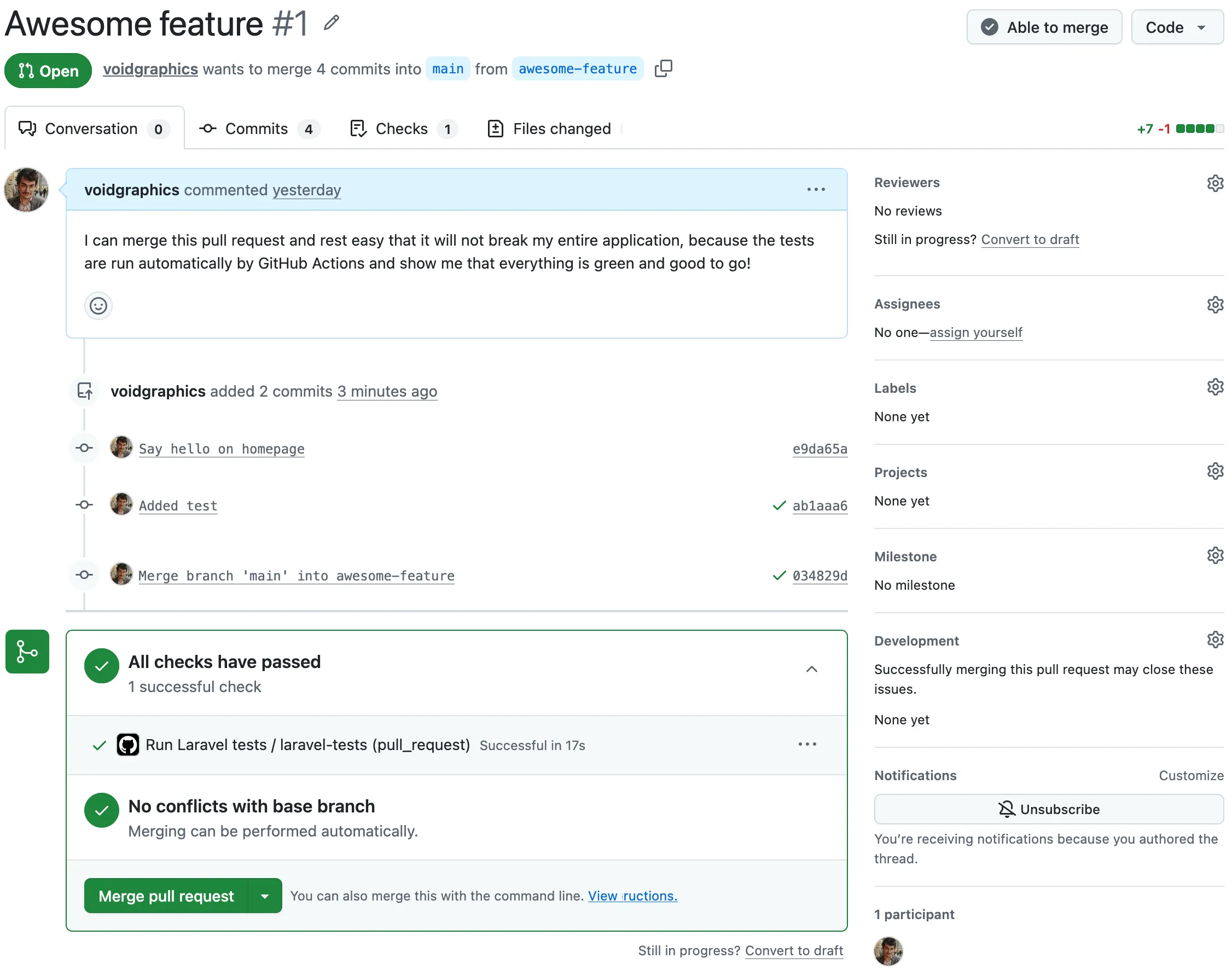
We'll also be notified when things go wrong.
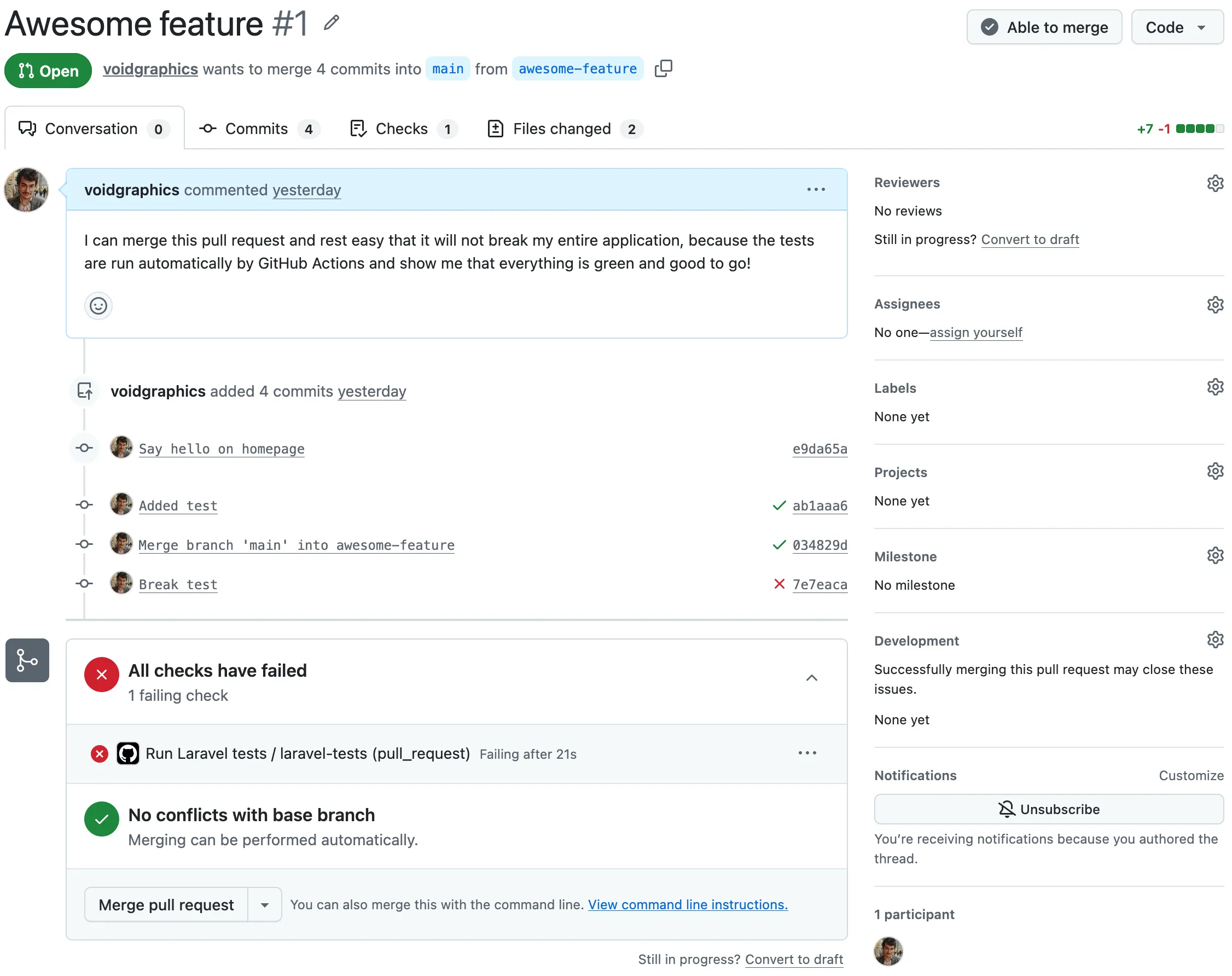
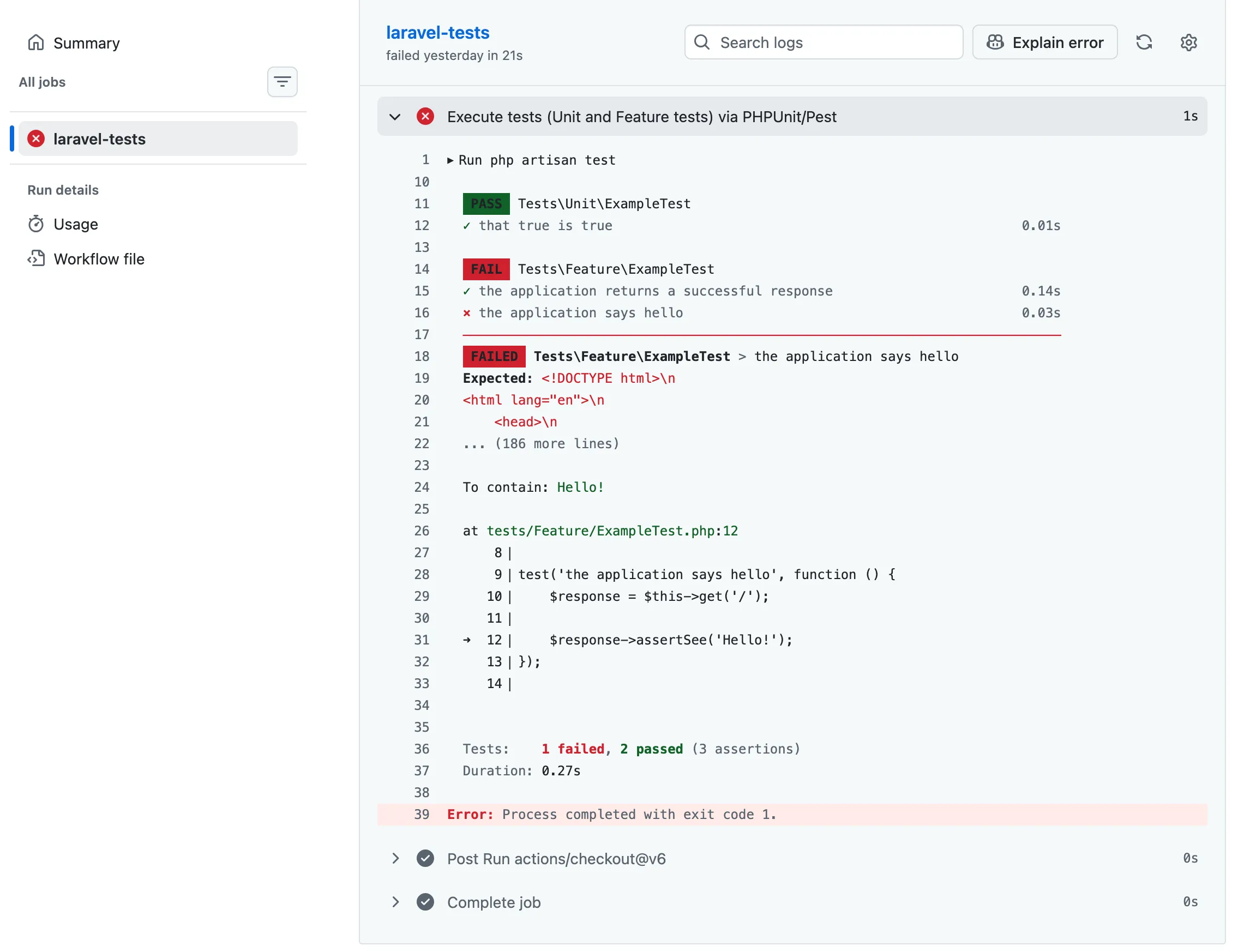
If we click on the failing line, we'll get details about why the workflow failed. In this case, I introduced a change that broke a test. On purpose, for once.
Sleep soundly
Working this way may not ensure you'll never ship a bug again. That all depends on the quality of your test suite. But you'll have an instant notification the moment a change breaks something, and you won't deploy that code unknowingly. You can press that deploy button with certainty that what needs to be checked has been checked.